Choose your access
24 hours, 7 days or 30 days. Enter the email address where you want to receive your purchase.
Checking the online license service. Checks license storage and signing availability; does not test gameplay or your installed app.
CONFIGURE. ADJUST. PLAY.
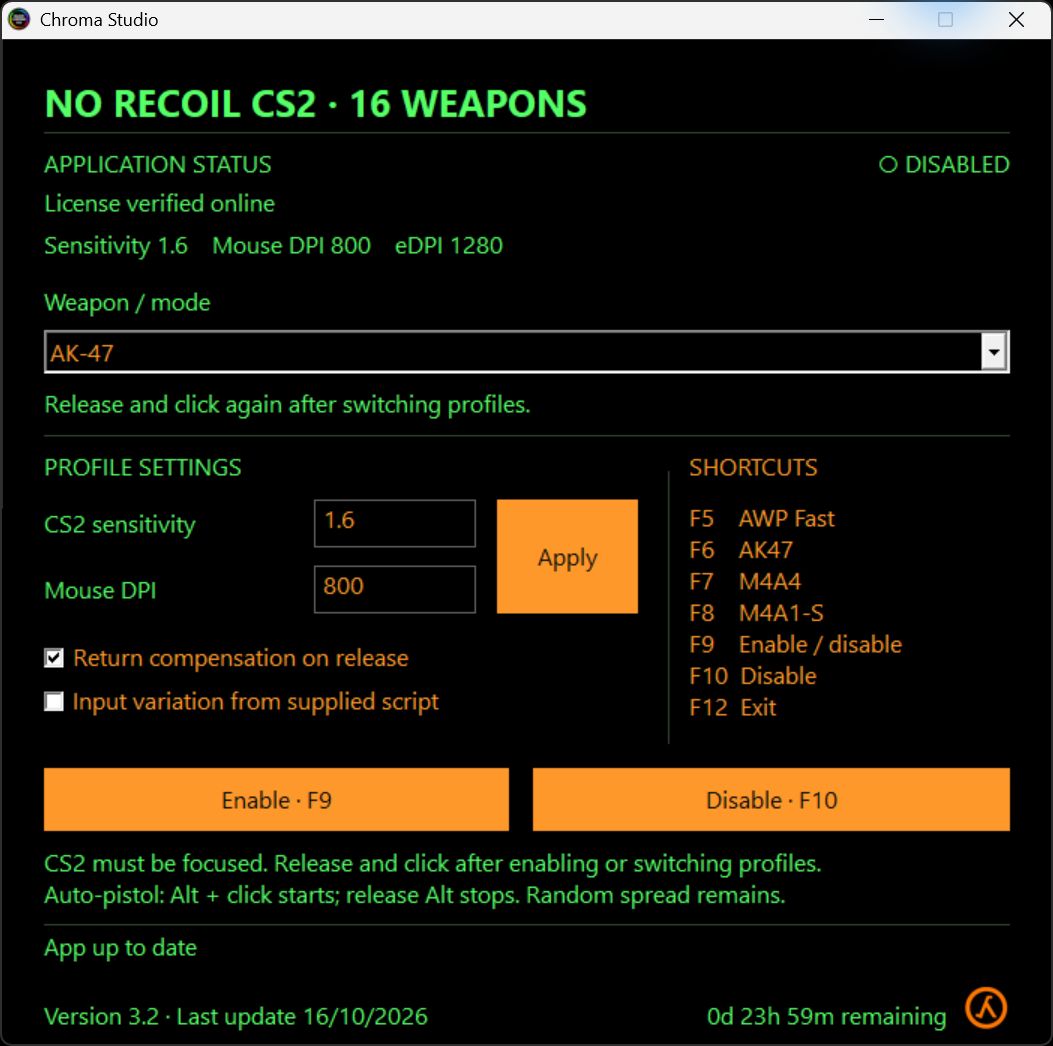
Meet No Recoil CS2 by Python Control. A standalone Windows application that automates mouse movements for recoil compensation, with 14 weapon profiles and two additional modes.
01 / TAKE A LOOK INSIDE
Explore the interface and settings.
Watch activation and weapon profile demonstrations.
PRODUCT DEMO
A full application walkthrough is coming soon.INTERFACE PREVIEW · DEMO VIDEO NOT YET AVAILABLE02 / FROM PURCHASE TO ACTIVATION
24 hours, 7 days or 30 days. Enter the email address where you want to receive your purchase.
Once payment is confirmed, your license key and download link are delivered automatically.
Open the app, validate your key and choose a profile. Your license period starts on first activation.
CHOOSE YOUR APPLICATION
Open full-size application screenshot ↗Native Windows application with 14 weapon profiles, AWP / SSG quick switching and an auto-pistol mode. Includes sensitivity settings and signed automatic updates. New GALIL, FAMAS and UMP-45 profiles require calibration. Runs as a standalone Windows executable: double-click to open, then activate your license. No Razer mouse, built-in mouse macros or mouse-brand software is required; it uses standard Windows mouse input.
View actual application screenshot ↗Watch the CS2 demonstration ↗Choose No Recoil CS2 ↗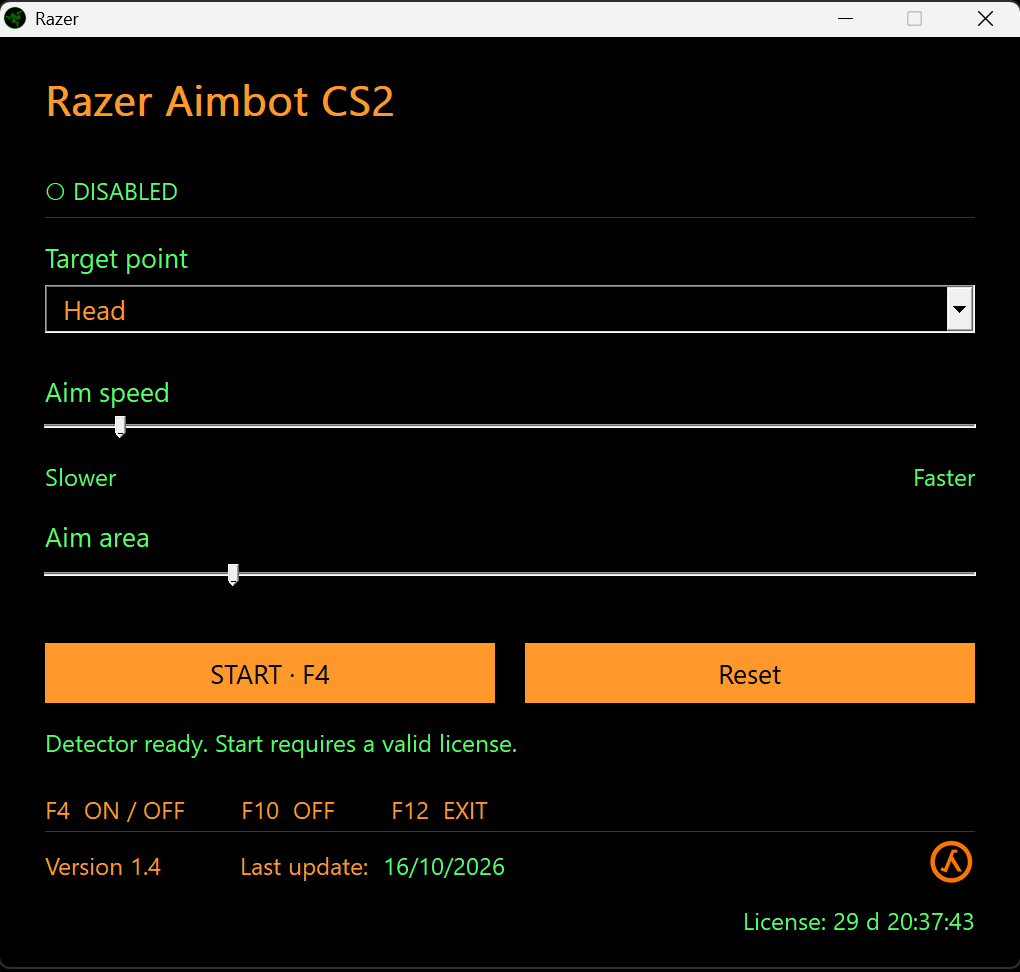 Open full-size application screenshot ↗
A separate Windows application that uses visual target detection to move the mouse and position the crosshair. The player controls when to fire; the app does not redirect bullets or change their trajectory independently of the crosshair. Adjust target point, aim speed and aim area. Runs as a standalone Windows executable: double-click to open, then activate your license. No Razer mouse, built-in mouse macros or mouse-brand software is required; it uses standard Windows mouse input.
View actual application screenshot ↗Product video demonstration is not yet available.Choose Razer Aimbot CS2 ↗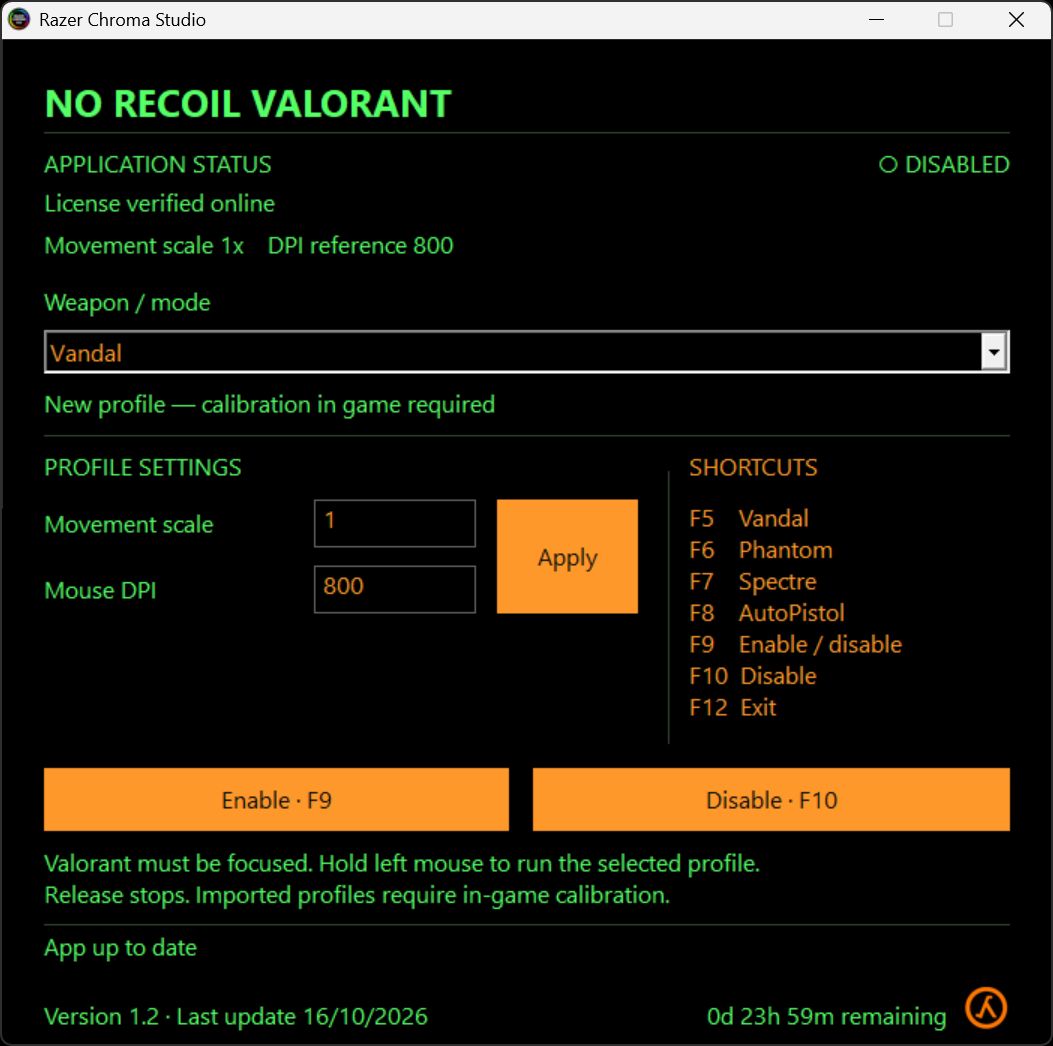 Open full-size application screenshot ↗
Separate native Windows application with Vandal, Phantom, Spectre and AutoPistol profiles. Automates mouse movement and left-click events while the physical left button is held and Valorant is focused. Includes input scale, product-specific licensing and signed automatic updates. Profiles require in-game calibration. Runs as a standalone Windows executable: double-click to open, then activate your license. No Razer mouse, built-in mouse macros or mouse-brand software is required; it uses standard Windows mouse input.
View actual application screenshot ↗Product video demonstration is not yet available.Choose No Recoil Valorant ↗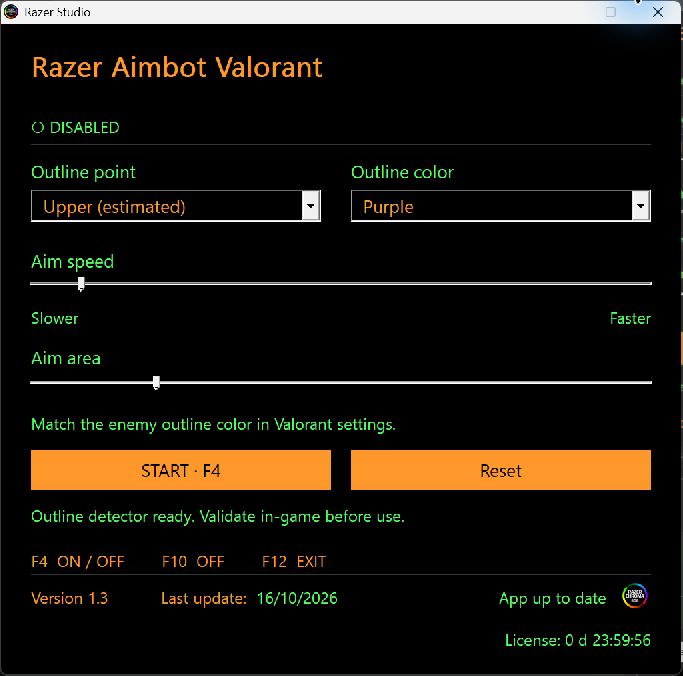 Open full-size application screenshot ↗
Separate native Windows application that positions the mouse using visible enemy-outline colors. Select Purple, Yellow or Red to match your game settings, then adjust estimated target position, speed and area. You control when to fire. Color effects and interface elements may cause false detections; in-game validation is required. Double-click the executable and activate its own license. No specific mouse brand or built-in macros required.
Product video demonstration is not yet available.View actual application screenshot ↗Choose Razer Aimbot Valorant ↗03 / CHOOSE YOUR ACCESS
One-time payment. No automatic renewal.
License key and download delivered by email.
PRE-LAUNCH · Payments and email delivery are still being configured.
Selected application: No Recoil CS2 · Each purchase delivers this application's download.
One day to explore your setup.
A full week at your own pace.
More time to make it yours.
An internet connection is required for license validation. Recoil compensation does not eliminate random weapon spread. This external mouse automation may be restricted by game rules or anti-cheat policies. We cannot guarantee that it is undetectable or free from account risk.
04 / BEFORE YOU START
On your first successful activation in the app. The 30-day plan lasts exactly 30 days from that moment.
A 64-bit Windows PC, an active license and an internet connection. Download the portable executable and open it; no separate Python installation is required.
No. Double-click the standalone Windows executable to open it, then activate your license. No specific mouse brand, built-in mouse macros or separate mouse software is required. The apps use standard Windows mouse input; every mouse model has not been individually tested.
At the email address entered at checkout, once payment is confirmed. Please also check your spam folder.
Checkout is currently unavailable. Please try again later or contact support.
Email norecoillcs2@gmail.com.